Frequently Asked Questions
Cover letter template
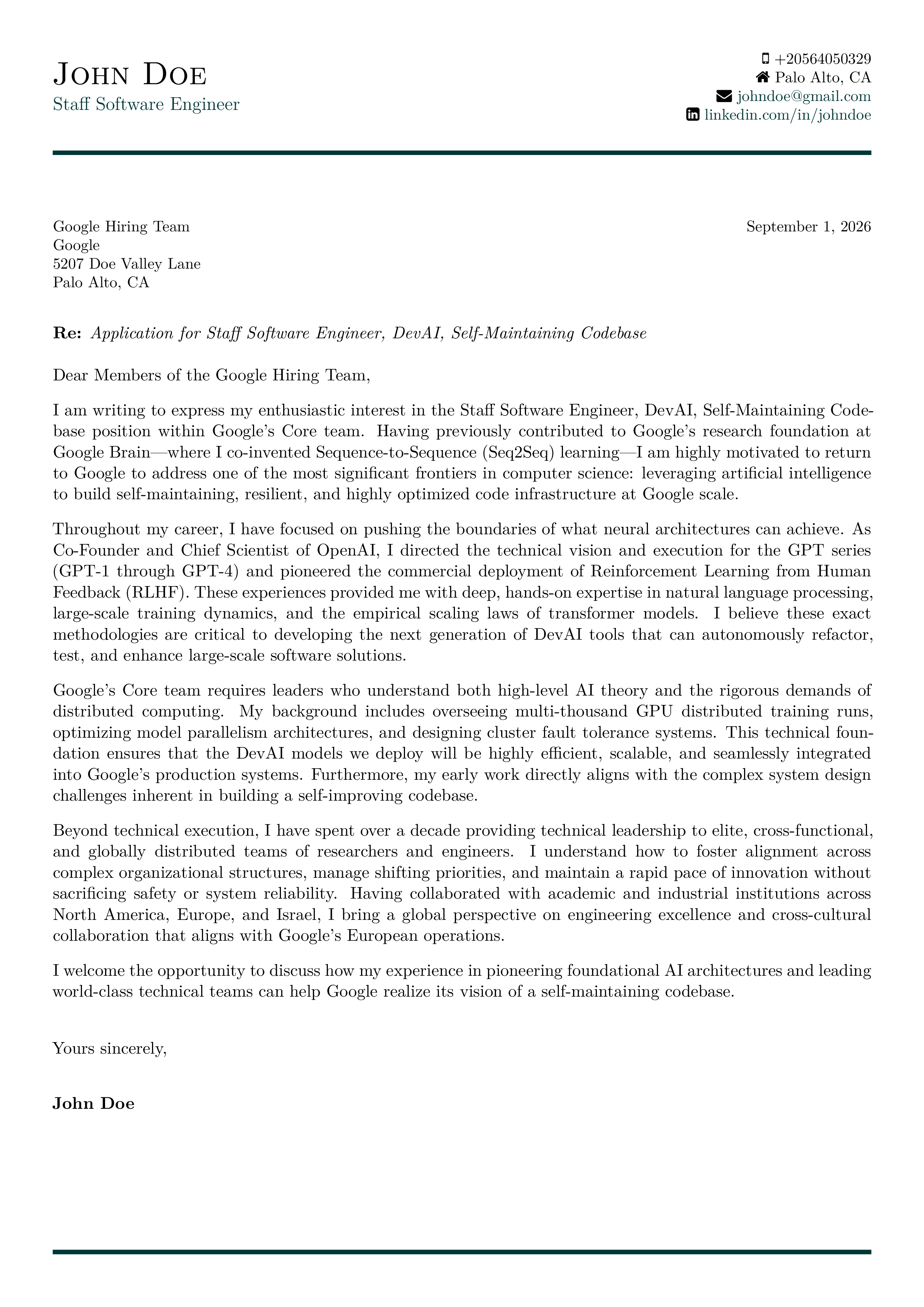
Modern Professional
Clean and contemporary design perfect for tech and corporate roles
Modern Professional Corporate Tech
Prepare a letter
Write your letter first. Choose this layout when your draft is ready.
Your details, in place
These fields go straight into the layout. Confirm them when you apply the template.
-
Email Address
e.g. jane.doe@example.com
-
Phone Number
e.g. +1 (555) 123-4567
-
LinkedIn Handle
e.g. jane-doe
-
City, Country
e.g. San Francisco, USA
-
Street Address
e.g. 123 Main St, Apt 4B
About the template
A modern cover letter template for polished applications
The Modern Professional cover letter template gives your application a clean, contemporary presentation without distracting from your experience. Its structured layout works well for software, consulting, finance, operations, and other corporate roles where clear communication matters.
Use it when you want a professional cover letter that feels current but stays easy to read. Coverlttr generates the letter from your CV and job description, then applies this layout so you can review the wording before exporting a text-based PDF. The result is a consistent document with purposeful spacing, readable typography, and a strong visual hierarchy.
A good template supports the argument rather than replacing it. Edit your draft, check every claim, and choose Modern Professional when you want a dependable cover letter format for a serious application.
Cover letter format
A cover letter format is one page. Modern Professional prints your contact line, the date, and the recipient, so the body does not repeat them. The body names the role, two or three facts from your CV, and a plain close.
How to format a cover letter
Leave the header to the template, write a short body from your CV and the posting, then export and open the file.
-
Leave the header to the template
Name, phone, email, date, and the recipient block are fields on the layout. Do not paste them again at the top of the body.
-
Open with the role
Name the job in the first lines. If the posting names a person, use that name. If it does not, write Dear Hiring Manager.
-
Add two or three proofs
Pick facts from your CV that match lines in the posting. Do not spend the page on a list of traits.
-
Close, export, and open the file
Ask for the next conversation. Apply this layout, download PDF or Word, and open that file before you send it. Length is covered in the how-long guide, not by the margins.